
Daily entry that adds itself up
Prices per kilo, stock in and out, cash and M-Pesa. Fix a mistake by moving an entry to the right date, and old days keep their old prices.
BSIS tracks the kilos you hang, the meat you sell and every M‑Pesa that lands in your till. At closing it tells you if the day balances, and if it doesn't, exactly what's missing.
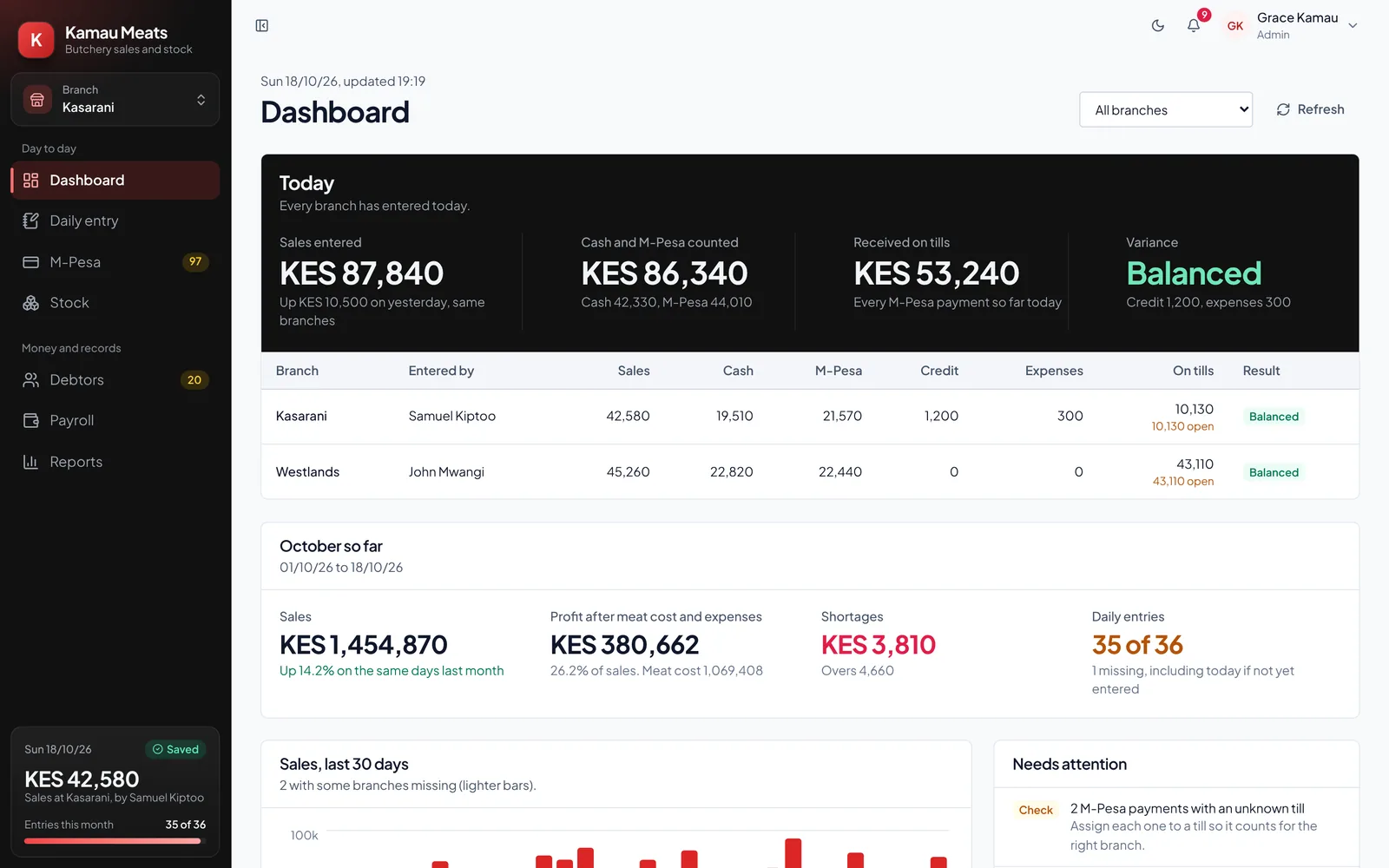
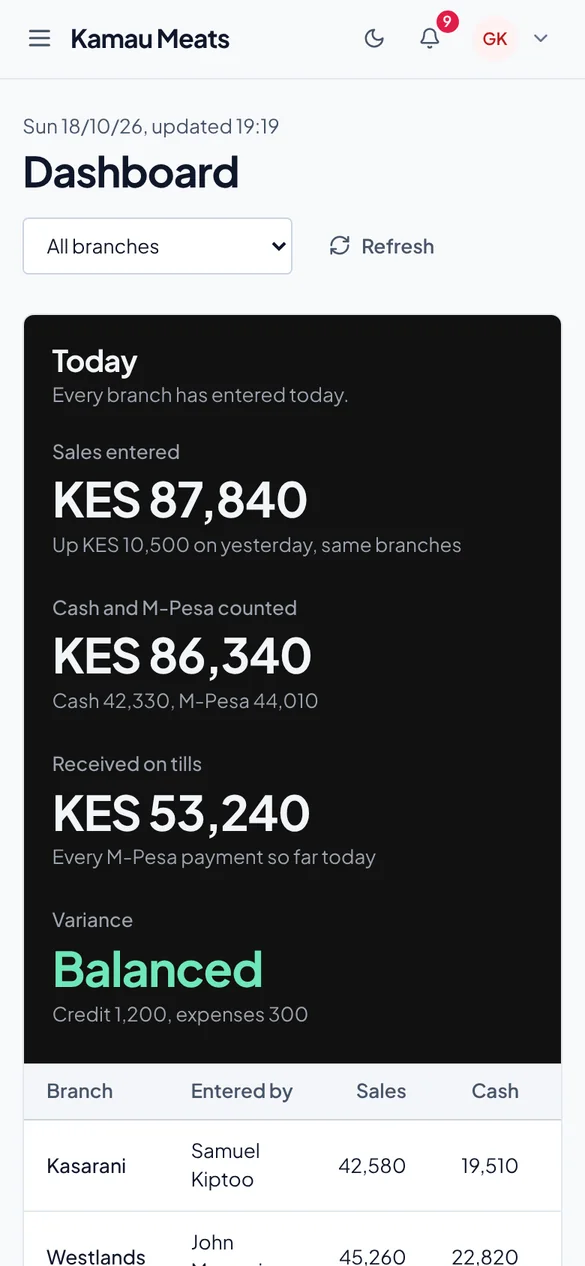
Nobody types the same number twice. What comes in by M-Pesa fills itself in, and yesterday's leftovers carry over.
Record the weights from the supplier. Last night's meat still on the hook is already counted.
Every M-Pesa payment to your till shows up within seconds, under the right branch.
The customer who pays on Friday, the worker who needs 500 till payday. Written down, never forgotten.
Enter the cash and what's left. BSIS shows what you should have, what came in and the difference.
Salaries with advances and shortages already taken off. No arguments, no calculator.
Prices per kilo, stock in and out, cash and M-Pesa. Fix a mistake by moving an entry to the right date, and old days keep their old prices.
Every customer on credit, how much and since when. Partial payments come off the balance.
Advances during the month and shortages at closing come off salary on payday, with a payslip for each person.
Switch between shops in one tap. Managers and staff only see the branch they work in.
Kilos sold per product, best days of the week, and which branch is short most often.
Each person sees what their job needs, and every change is recorded with who made it.
Connect your Paybill or Buy Goods till once. From then on every customer payment appears in the day's entry on its own, with the name, amount and receipt number.
Plans differ only by how many branches and people you have. Every account starts with 14 days free, with everything switched on.
One shop
KES 1,500 a month
A few branches
KES 3,500 a month
No limits
KES 7,500 a month
Pay monthly by M-Pesa. No contract: stop whenever you like and download all your records first.
No. BSIS runs in the browser on any smartphone, tablet or computer. Staff can enter the day on a phone at the counter.
Yes. You connect the Paybill or Buy Goods till you already have, through Safaricom Daraja or Kopo Kopo. Customers keep paying the same number.
Never. Payments go straight from the customer to your M-Pesa account. BSIS only receives a notice that the payment happened.
Choose a plan and pay by M-Pesa. If you don't, nothing is deleted: you can still open your records, you just can't add new days until you pick a plan.
Each branch has its own entries, tills and staff. You see all of them and can switch in one tap. A manager only sees their own branch.
Yes. Download all your records as files from Settings at any time. If you want everything deleted, ask and we'll remove it.
How many branches, how you take payments today, what keeps going missing. We'll reply within one working day and can set it up with you.
Or email [email protected]